zk76 Casino & Sportsbook Mobile App
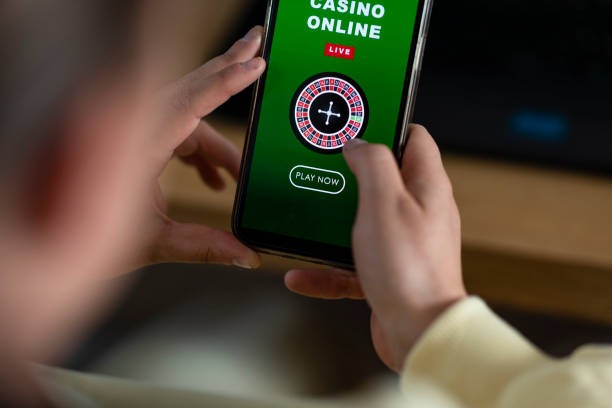
Mobile-first design is central to how we at zk76 deliver sports betting, live-dealer games, and slots to users across supported jurisdictions. Whether you use Android, iPhone, or a web browser, our platform adapts to your device and keeps your account, funds, and preferences in sync across all access paths.
- DownloadAPK
- StartFirst Game
- Installin
Most of our users access zk76 on a smartphone or tablet rather than desktop. This reality shaped how we built our app. We optimized for smaller screens, touch navigation, and connectivity conditions ranging from strong WiFi to mobile data. Our Android APK (direct download) and iOS browser version both deliver the same game range—Liga 1 football markets, live blackjack and roulette, Aviator slots, esports betting on Mobile Legends and Free Fire—without compromise on speed or stability.
Getting started on mobile takes minutes. You download the app (Android) or open a browser link (iOS), create an account with your email and mobile number, verify your identity via photo upload, deposit funds using DANA, e-wallet, mobile banking, local payment, or online payment, and begin exploring our sportsbook and live-dealer tables. This page walks you through each step, addresses common questions, and explains the differences between app and browser access.
How to access zk76 on your mobile device
We at zk76 offer three mobile access paths: Android APK (direct app installation), iOS via browser, and web app on any device. Each path uses the same account and game library. Your choice depends on your device type and preference for app-like experience versus browser convenience.

Installation and account setup on mobile
Our zk76 mobile onboarding is streamlined to get you betting within minutes. Here is the typical path:
Download or open the link
Android users download the APK file from our site or a trusted mirror. iOS users open our mobile site in Safari or Chrome. Web users visit zk76.net on any browser.
Create your account
Enter your email, choose a username, set a password, and provide your mobile number. We send a verification link to your email.
Verify your identity
Upload a photo of your national ID or passport. This takes seconds on mobile; our system verifies it within hours.
Deposit and start
Select your payment method (DANA, e-wallet, mobile banking, local payment, online payment, or bank transfer). Your balance appears instantly, and you can access all sportsbook and casino games.
Mobile gaming should be fast, reliable, and as full-featured as desktop. We at zk76 built our app and browser experience to deliver exactly that.
Native app versus mobile browser
Both our Android APK and iOS browser access deliver the same game library and account features. The differences lie in speed, notifications, and offline capability. Our native Android app caches game assets locally, so it loads faster on repeat visits and uses less data over time. The app also sends push notifications for live sports updates, market alerts, and payment confirmations—features that browsers cannot reliably replicate. If you value speed and real-time alerts, the app is the stronger choice. Our browser version (iOS, web) is ideal if you prefer not to install anything or want seamless access across multiple devices without app updates. Both update automatically on app stores; our browser experience receives updates in real time without your action.

Device and OS requirements for zk76 mobile
Our zk76 app and mobile site support Android 7.0 and above and iOS 12 and above. Most smartphones and tablets released in the past five years meet these minimums. If your device runs an older OS, you can still access zk76 via our mobile web version on any browser. We do not recommend devices below these OS versions due to security risks and performance limitations. Check your phone's Settings > About to confirm your OS version. If you are near the minimum threshold, update your device before downloading the app to ensure smooth gameplay and secure transactions.
Common installation issues and fixes
Android users sometimes encounter a security warning about "unknown sources" when installing our APK. This is normal. To proceed, go to your device's Settings > Apps & Notifications > Advanced > Special app access > Install unknown apps, find your browser or file manager, and toggle "Allow installation of apps from this source." This is a one-time step. After installation, you can disable it again. Some users report issues trusting our certificate on older Android versions; in these cases, clearing your browser cache and trying again resolves the problem. If you continue to face obstacles, our support team (reachable via in-app chat in English) can walk you through troubleshooting or direct you to alternative access methods. iOS users do not face unknown-source warnings because they are accessing via Safari or Chrome, not downloading an app.
Data usage, permissions, and account security on mobile
Our zk76 app requests permissions to access your device's camera (for identity verification photo uploads) and location (to confirm you are in a supported jurisdiction). We never use these permissions beyond their stated purpose, and we do not sell or share your data with third parties. All communication between your device and our servers is encrypted. Your account password is never stored on your phone—you authenticate once per session, and the app maintains a secure session token. Be cautious about installing the app only from official sources or trusted mirrors we provide; never install from third-party sites claiming to offer "modded" versions. If you suspect your account has been compromised, change your password immediately through your account settings. Data usage is typically light (a few MB per day for casual use) because our games stream from our servers rather than downloading large files locally. Over WiFi, usage is negligible.
Push notifications and account alerts
Once you download our Android app and log in, you can enable push notifications in your account settings. We send alerts for live sports updates (Liga 1, Piala AFF, Champions League), settled bets, payment confirmations, and promotional offers. You control which types of notifications you receive and can disable all notifications at any time. Push notifications do not increase data usage significantly and do not drain your battery more than other apps. Notifications are optional; you can use zk76 without enabling them.
Staying connected on zk76
Whether you are watching a Liga 1 match and placing live bets, enjoying a round of blackjack during a break, or checking your Piala AFF sports slip on the train, our mobile app and browser access keep you connected to zk76. All games, all payment methods (e-wallet, mobile banking, local payment, online payment, e-wallet, mobile banking, local payment, online payment, e-wallet, mobile banking), and all account features work seamlessly on mobile. Our support team is available in-app to answer questions about installation, gameplay, or account management. Your funds are secure, your data is encrypted, and your experience is optimized for the device in your pocket. Download the app, open the browser, or visit our web site—the choice is yours, and zk76 works reliably on all three paths.